Endpoint protection
Bitdefender GravityZone on every desktop, laptop and server
Security to stop the incident, and a tested backup for the day something gets through anyway. Both, from one team.
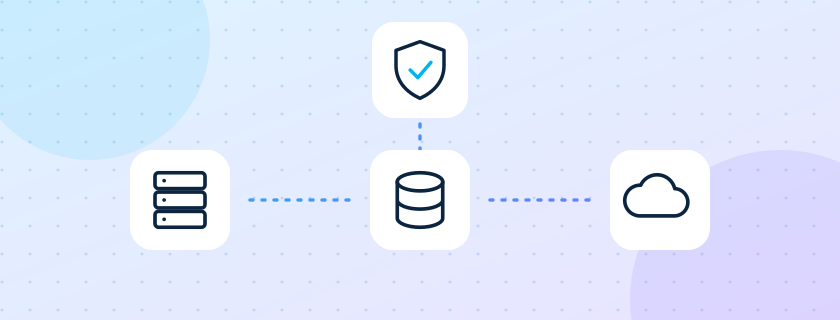
Two services that belong together. Data security protects your information against cyber threats and unauthorised access, in layers across endpoints, network and cloud. Data backup protects the same information against loss and failure by keeping copies you can actually restore.
Layered protection against attack, and a backup that has actually been restored.
Bitdefender GravityZone on every desktop, laptop and server
Firewall and e-mail filtering as the first line of defence
Local backup to a Synology NAS with fast restores
Off-site Acronis cloud backup, away from a site fire or ransomware
Scheduled restore tests, so a backup is a plan, not a hope
A multi-layered approach that protects data on endpoints, networks, applications and the cloud against cyber threats, breaches and unauthorised access.
Vulnerability assessment and penetration testing: we find security gaps and simulate real-world attacks, so your team can fix them first.
Automated, scalable backup for on-premises, cloud and hybrid setups, against loss, corruption, cyberattacks and system failure.
Business continuity depends on getting data back quickly, so recovery is planned, tested and written down.
What data exists, where it lives, who can reach it, and what protects it today.
Endpoint protection everywhere, firewall and e-mail filtering tuned, access tightened.
Local plus off-site copies scheduled, with retention agreed in writing.
A restore is performed and timed; failed jobs raise a ticket at the desk.
Example. A chemicals trading firm in Navi Mumbai keeps Tally and ten years of invoices on one server, with a backup to an external disk that stays plugged in. We roll out endpoint protection to 25 PCs and the server, move the local backup to a NAS with hourly snapshots, add nightly cloud backup, and restore last month's Tally data to a test folder to prove it works. When a staff member later opens a malicious attachment, the endpoint blocks it.
Any organisation with data it cannot recreate: accounts, customer records, drawings, student records or guest data, especially where the backup has never been tested.
Antivirus protects one machine at a time. Endpoint protection manages every machine from one console and alerts someone when a device falls behind.
Often enough that the work you would lose is acceptable. For most offices that is hourly snapshots locally and a nightly off-site copy, agreed with you in writing.
Yes. A local backup to a NAS plus an off-site cloud copy, with scheduled restore tests.
We come back within one working day with a clear next step.
AVGN Infotech counts visits so that we can improve this site. For each visit we note the page, your approximate country and city, the type of device and where you came from.
Without your consent we use no cookies and do not store your IP address for these counts. Your style and sound choices stay only in your own browser.
If you press Accept on the cookie notice, we also set one cookie holding a random number, and we record how long you stay on each page, the address (IP) your visit came from, your approximate location and whether you came back. Pressing Decline keeps everything anonymous and sets no cookie. These records are kept for 12 months.
A record of your cookie choice (the time, your choice and the version of this notice) is kept for 3 years as proof of consent.
We know nothing else about you unless you tell us. If you send a form or a chat message, we keep your name, contact details, message and the address it came from, to reply to you, to block abuse and to keep a record of the enquiry.
Visit counts are kept for 12 months and enquiries for 24 months. If your browser sends Do Not Track or Global Privacy Control, we do not count your visit.
To see, correct or delete your details, or to raise a concern, write to us:
If you send feedback, we store the name, role, rating and text you typed and show them on this website; a short code made from your address is kept only to limit repeats. You can ask us to remove your feedback at any time.
When you send the contact form, our team receives your details by e-mail and as a WhatsApp alert, which is delivered through Meta's WhatsApp Business Platform. If you tick the WhatsApp box, we also send you one confirmation message on the phone number you gave. We use these details only to reply to you.
Version 2026-10-02 · AVGN Infotech
AVGN Infotech decides why and how data is processed by AVGN OneDesk. For questions, requests or complaints write to enquiry@avgninfotech.com.
To connect two computers, our connection server sees your device ID, the temporary session code, your computer name and your IP address while the link is set up and to prevent abuse. Your licence key and machine ID are checked to confirm the licence.
During a session the screen picture, mouse and keyboard, chat, files and clipboard travel directly between the two computers. AVGN OneDesk does not store them on our servers.
On your PC only: your recent-sessions list, passwords you chose to save (encrypted with Windows), your settings, the consent log, and any recordings or screenshots you choose to make.
We do not run advertising, sell data or track usage in the app. No one can control your computer without your approval: every session starts as View Only and Full Control needs your explicit Allow.
You can withdraw consent, export or erase your data in the app under Settings, Privacy and data, or by uninstalling. You choose how long recent sessions and the consent log are kept. If this notice changes in a way that matters, the app asks you to read and accept it again.
Choose what you allow. You can change this any time from Cookie settings in the footer.
Remembers your choice here, and keeps forms safe from robots. The site cannot work properly without these.
Counts that a page was opened: the page, your country and city, the type of device and where you came from. No cookie, no address kept, nothing that names you.
Sets our one cookie (avgn_vid, a random code, 1 year) and measures how long you stay on each page, so we can improve the pages.
We do not use any. Nothing is sent to advertising networks.
Two minutes at most. Your name and your words are shown on this website, so please write only what you are happy to have public.