Firewall configuration
Configures the right VPN type on your Sophos or SonicWall firewall
A VPN gives your staff and branches an encrypted, private path into the office network, from home, from the road or from another site.
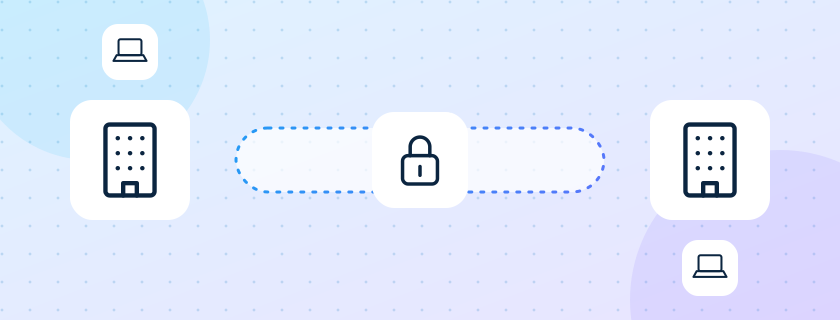
A Virtual Private Network creates an encrypted connection over the public internet, so data between a user or branch and your network stays private. It lets remote staff reach internal systems and links offices without exposing them to the open internet.
An encrypted, private path into the office, from home, the road or another site.
Configures the right VPN type on your Sophos or SonicWall firewall
Sets up user accounts and access rules per person
Adds a second sign-in step where supported
Connects branches and plants with site-to-site tunnels
Monitors tunnels and supports users who cannot connect
Lets a person connect securely to the private network from outside. Used by employees who work from home or travel. Gives flexible, secure remote connectivity.
Connects whole networks to each other, for example a branch to head office. Used for office network integration. Gives seamless integration at scale.
A VPN deployed in the cloud to connect cloud resources or to bridge your office and cloud networks. Used for hybrid and multi-cloud setups. Scales and integrates easily with cloud services.
Uses SSL to secure connections through a web browser. Used for access from any browser. Needs no client software.
Who must reach what, from where, and how often.
The VPN type per need, set up on the firewall with access rules.
Client software or browser access, a short guide, and a test connection with each person.
Tunnel health and failed sign-ins watched by the support desk.
Example. A pharmaceutical company has head office in Andheri, a plant in Taloja and eight field sales staff. A site-to-site VPN joins the two firewalls, so the plant's weighbridge software reaches the ERP at head office. Field staff use SSL VPN from their laptops through a browser, with a second sign-in step, and reach only the CRM. The finance head works from home twice a week over remote-access VPN with the same access she has at her desk.
Organisations with staff who work from home or travel, more than one location, or systems in the cloud that must talk to systems on site.
The encrypted traffic uses part of the office internet line. We size the line and firewall for the number of users, so normal browsing is unaffected.
For SSL VPN, only a browser. For remote-access VPN, a small client that we install and configure with the user.
Initial set-up, rules and policies, VLAN and NAT settings, firmware updates, and a backup of the rules with a record of every change. A DMZ can be added where it is needed.
We come back within one working day with a clear next step.
AVGN Infotech counts visits so that we can improve this site. For each visit we note the page, your approximate country and city, the type of device and where you came from.
Without your consent we use no cookies and do not store your IP address for these counts. Your style and sound choices stay only in your own browser.
If you press Accept on the cookie notice, we also set one cookie holding a random number, and we record how long you stay on each page, the address (IP) your visit came from, your approximate location and whether you came back. Pressing Decline keeps everything anonymous and sets no cookie. These records are kept for 12 months.
A record of your cookie choice (the time, your choice and the version of this notice) is kept for 3 years as proof of consent.
We know nothing else about you unless you tell us. If you send a form or a chat message, we keep your name, contact details, message and the address it came from, to reply to you, to block abuse and to keep a record of the enquiry.
Visit counts are kept for 12 months and enquiries for 24 months. If your browser sends Do Not Track or Global Privacy Control, we do not count your visit.
To see, correct or delete your details, or to raise a concern, write to us:
If you send feedback, we store the name, role, rating and text you typed and show them on this website; a short code made from your address is kept only to limit repeats. You can ask us to remove your feedback at any time.
When you send the contact form, our team receives your details by e-mail and as a WhatsApp alert, which is delivered through Meta's WhatsApp Business Platform. If you tick the WhatsApp box, we also send you one confirmation message on the phone number you gave. We use these details only to reply to you.
Version 2026-10-02 · AVGN Infotech
AVGN Infotech decides why and how data is processed by AVGN OneDesk. For questions, requests or complaints write to enquiry@avgninfotech.com.
To connect two computers, our connection server sees your device ID, the temporary session code, your computer name and your IP address while the link is set up and to prevent abuse. Your licence key and machine ID are checked to confirm the licence.
During a session the screen picture, mouse and keyboard, chat, files and clipboard travel directly between the two computers. AVGN OneDesk does not store them on our servers.
On your PC only: your recent-sessions list, passwords you chose to save (encrypted with Windows), your settings, the consent log, and any recordings or screenshots you choose to make.
We do not run advertising, sell data or track usage in the app. No one can control your computer without your approval: every session starts as View Only and Full Control needs your explicit Allow.
You can withdraw consent, export or erase your data in the app under Settings, Privacy and data, or by uninstalling. You choose how long recent sessions and the consent log are kept. If this notice changes in a way that matters, the app asks you to read and accept it again.
Choose what you allow. You can change this any time from Cookie settings in the footer.
Remembers your choice here, and keeps forms safe from robots. The site cannot work properly without these.
Counts that a page was opened: the page, your country and city, the type of device and where you came from. No cookie, no address kept, nothing that names you.
Sets our one cookie (avgn_vid, a random code, 1 year) and measures how long you stay on each page, so we can improve the pages.
We do not use any. Nothing is sent to advertising networks.
Two minutes at most. Your name and your words are shown on this website, so please write only what you are happy to have public.